
What it is
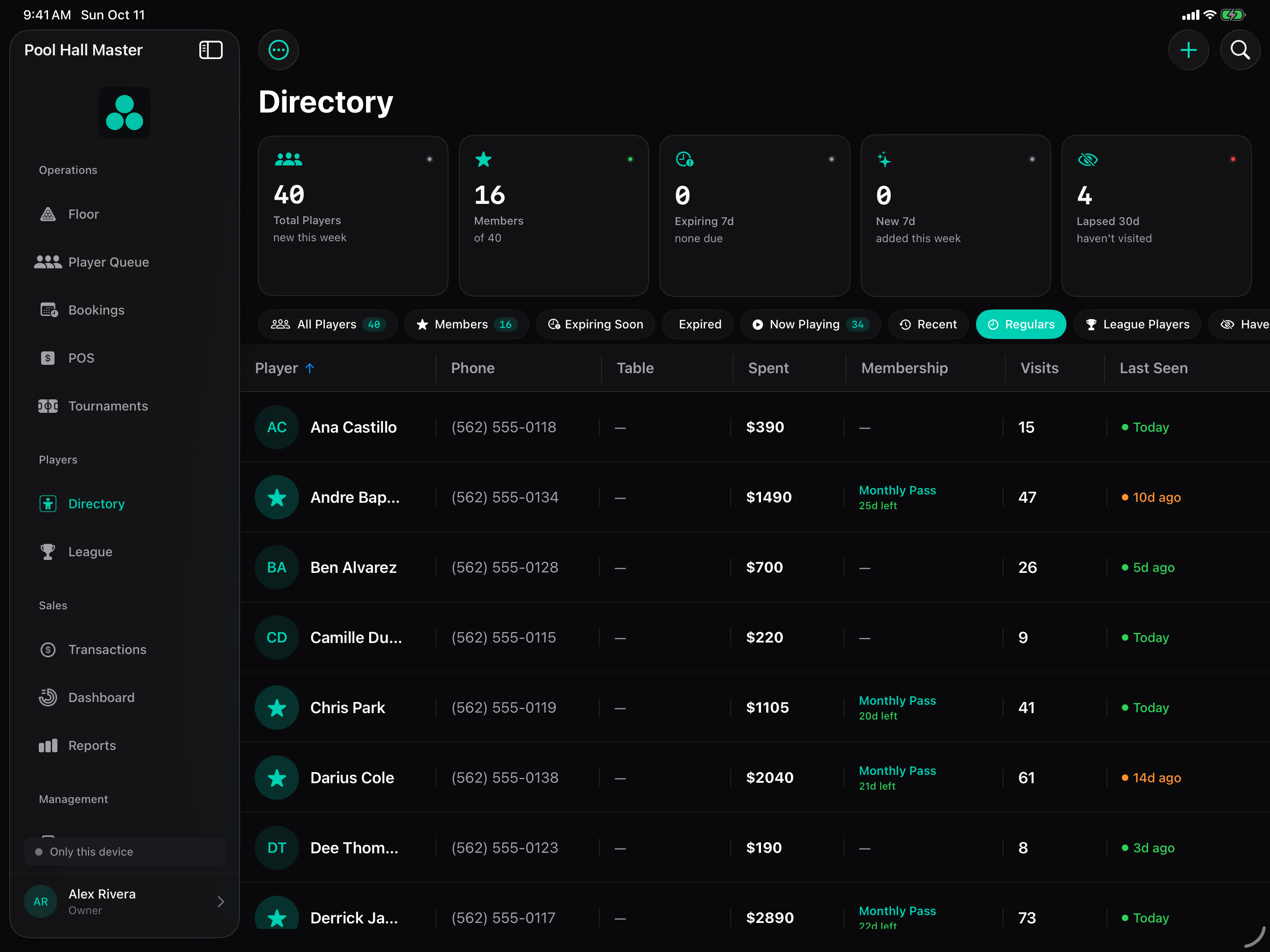
Every player who checks in, joins the waitlist, books online, buys a membership, plays league or registers for a tournament ends up in the Directory. Build 34 turns it into a light CRM: a filter rail groups players into segments, every segment is searchable, and whatever you are looking at can be exported as CSV.
| Segment | Who’s in it |
|---|---|
| All Players | Everyone on file. |
| Members | Active memberships. |
| Expiring Soon | Active memberships ending soon — a renewal queue with an inline Renew button. |
| Expired | Memberships that lapsed recently — the win-back queue. |
| Now Playing | Checked in on a table right now. |
| Recent | Everyone with a visit on file, most recent first. |
| Regulars | Visited in the last 30 days and either has 3+ visits, has spent $50+, or has been on file longer than 30 days. Sorted by visits, then spend. |
| Tournament Players | Registered for any tournament (the app tags them Tournament Player). |
| League Players | On a team in Leagues. |
| Haven’t Seen | 2+ visits but nothing in the last 30 days. |
| New This Week | First visit in the last 7 days. |
Setting it up
Segments are automatic. Three things make them more useful:
- Capture phone numbers and consent. The web waitlist and booking forms collect a mobile number; for walk-ins, add it at check-in. The Membership texts toggle on a player records their consent for SMS.
- Run leagues and tournaments in the app. League Players comes from team rosters in Leagues; Tournament Players fills itself as people register. Nothing to tag by hand.
- Keep memberships in the app so Members / Expiring / Expired are accurate — see Memberships.
Using it
Find someone fast
Tap a segment, then type in the search field — name, phone or email. Search is scoped to the segment, so Members → “dan” finds member Dans only. The KPI row above the list shows the segment’s count, visits and spend.
Export a segment
Tap Export Players → Export as CSV. The export contains exactly the rows on screen (segment + search), with name, phone, email, notes, created date, last visit, total visits, total spent, play minutes, active flag, membership and tags — ready for your mail/SMS tool or a spreadsheet.
- Choose Haven’t Seen.
- Tap Export Players, confirm Export N Players?
- Share the CSV to your messaging tool and send the “we miss you” offer.
Work the renewal queues
Expiring Soon and Expired show as lifecycle rows with an inline Renew button. The morning routine: open Expiring Soon, renew the ones who come in, export the rest.
From a player’s card
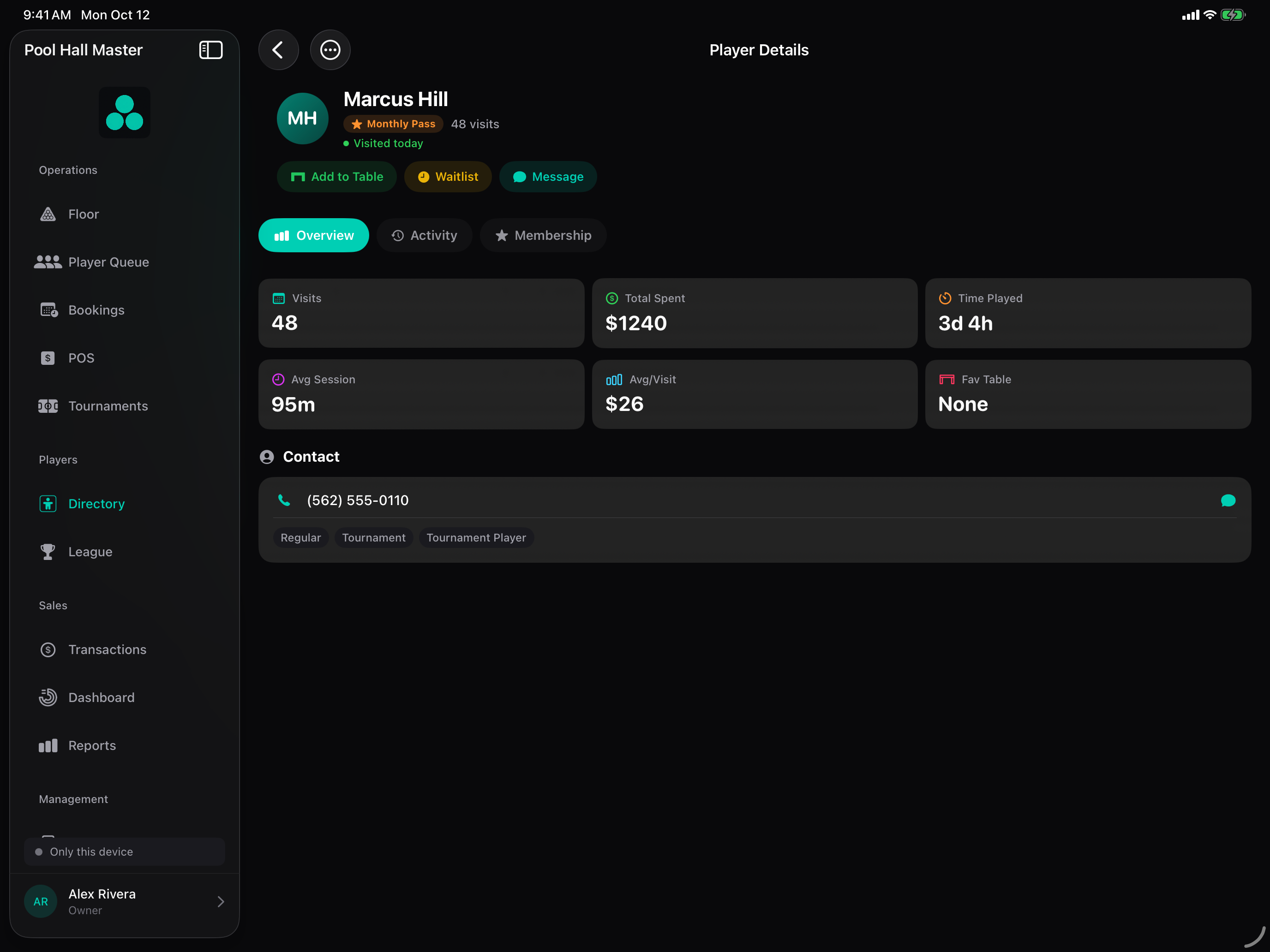
Tap any row for the player card: visit history, spend, memberships, tournament results, notes and tags. Check In from here seats them straight onto a table.
FAQ
Why isn’t a frequent player in Regulars? They need a visit in the last 30 days. Someone who came every week in the summer but not since drops to Haven’t Seen until they return.
Can I change the 30-day window? Not yet; it is fixed at 30 days for both Regulars and Haven’t Seen.
Can I make my own segment? Not yet. Use search plus export for ad-hoc lists.
Can I text a whole segment from the app? Not in Build 34. Export the segment and use your SMS tool. The app does send its own transactional texts (waitlist alerts, booking reminders, membership texts) to players who consented.
Do players get added without a phone number? Yes — a name is enough.
Who can export? Any staff member signed into the venue can view the Directory and export. Restrict iPad access with staff PINs if that matters to you — see Account & Settings → Staff Management.