
What it is
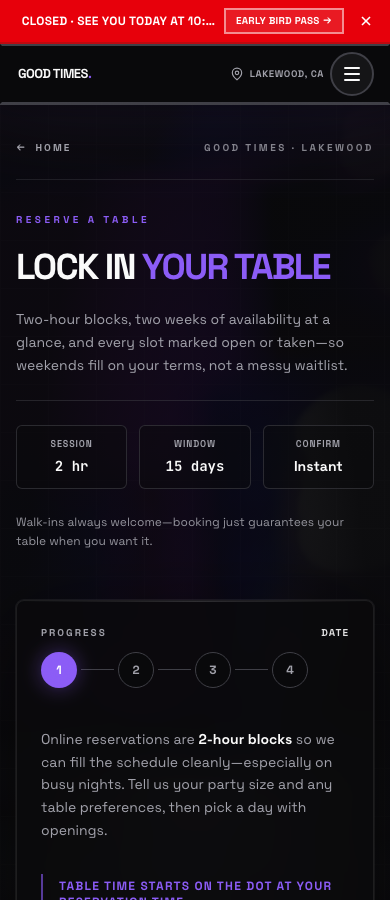
Every venue on Pool Hall Master gets a public page on phmapp.io. With online booking turned on, that page lets a guest pick a date, time, duration, party size and table type, and the booking appears in the iPad’s Bookings list and in the Player Queue on the day.
If you require a deposit, the guest enters a card before the slot locks in. Pool Hall Master places a hold through your connected Square account; the booking sits at Awaiting deposit until the hold clears, then flips to Confirmed. Late cancellations inside your cutoff and no-shows can forfeit the deposit; cancellations before the cutoff release it.
Setting it up
- Set up your waitlist first. Online booking lives on the same venue page as the web waitlist — generate your waitlist URL under Account & Settings → Waitlist or the Booking settings will say Set up your waitlist first to get a booking link.
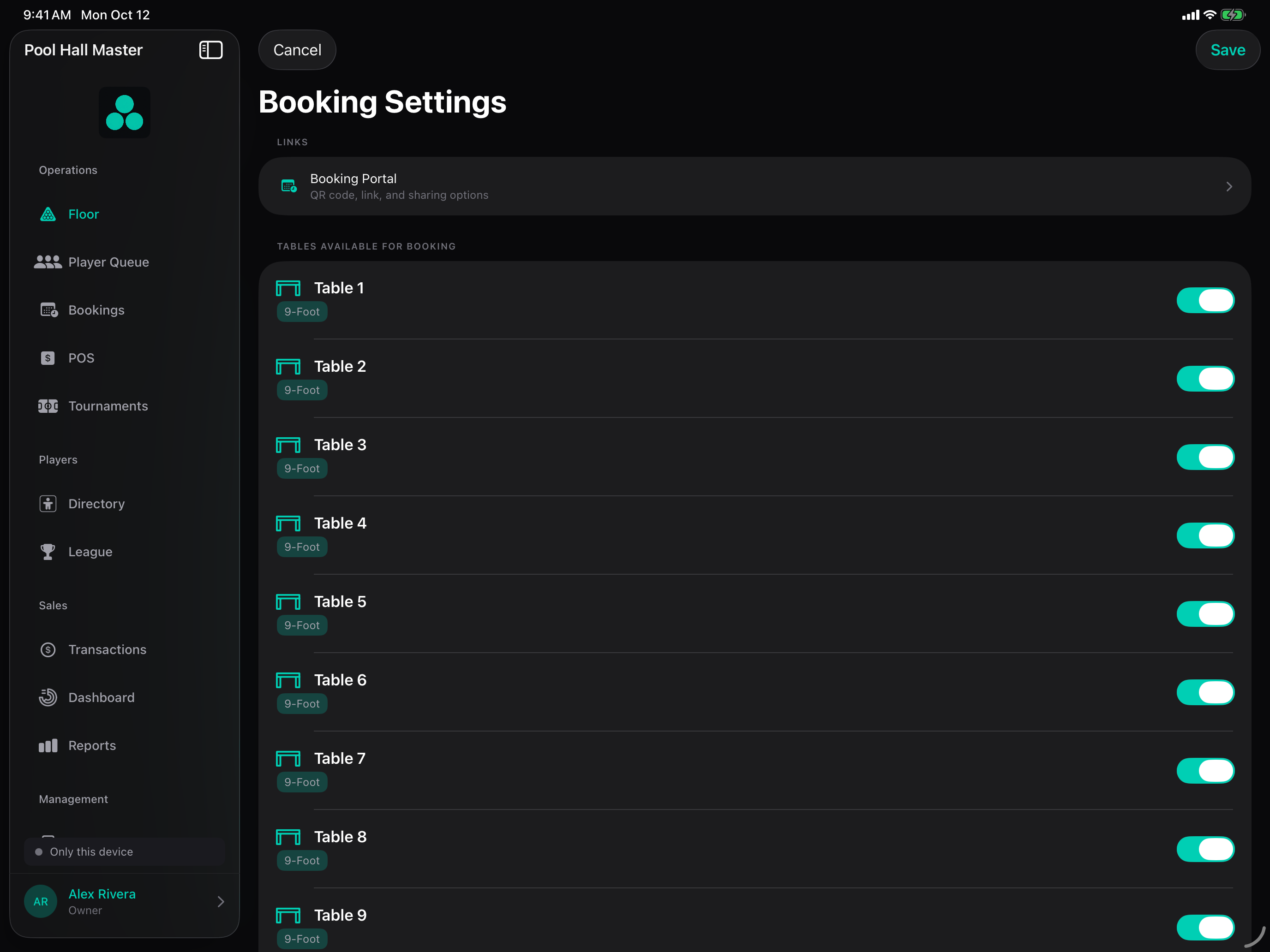
- Open Account & Settings → Bookings.
- Under Tables Available for Booking, enable the tables guests may book. Tables come from Tables & Pricing, so add them there first.
- Set your Booking Rules: Minimum / Maximum Duration, Minimum / Maximum Players, Advance Notice (how many hours ahead a guest must book), and optional Custom Booking Hours if online slots differ from your opening hours.
- Choose whether to Require Approval. On, new web bookings stay Pending until a staff member approves them; off, they confirm immediately (or once the deposit clears).
- Under Online bookings & deposits, turn on Require Card Hold (Website). Set the Deposit cancel cutoff (for example 24h before start). Optionally pick a Booking Deposit Item — a Square catalog item named Table Booking Deposit — so deposits are categorised in Square reports.
- Set No-Show Grace — how long a table is held past the start time before the booking is auto-marked a no-show (or turn it off to mark no-shows manually).
- Turn on Send Reminders and pick Remind Before to text guests ahead of their slot.
- Tap Share Booking Link to copy the URL or show the Scan to Book a Table QR code for your counter and socials.
Using it day to day
Booking statuses
| Status | Meaning |
|---|---|
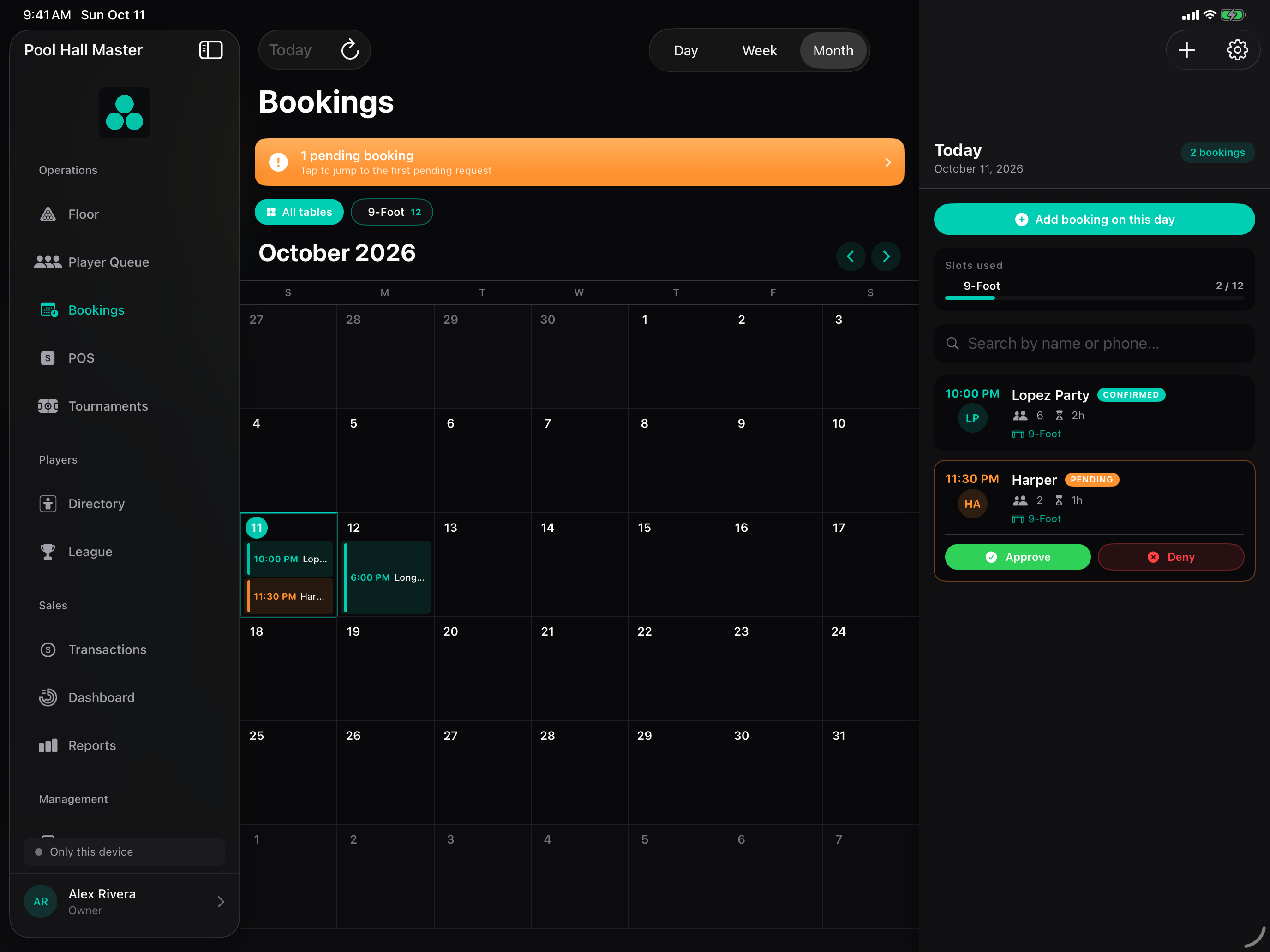
| Pending | Web booking waiting for staff approval (only with Require Approval on). |
| Awaiting deposit | Guest has the booking form done; the Square hold hasn’t cleared yet. Clears within seconds normally. |
| Confirmed | Slot is locked. Guest got a confirmation with a cancel link. |
| Checked in | Staff seated the party; the deposit is captured and the table runs as a Block Play of the booked length. |
| Completed | Session finished. |
| Cancelled | Guest or staff cancelled. Hold released if before the cutoff. |
| No-show | Grace period passed with no check-in. Deposit may be captured. |
On the day
- Today’s bookings appear in the Player Queue with a clock icon and their start time. The floor view shades the booked table ahead of time so nobody is seated into the slot.
- When the party arrives, tap Check In. The deposit hold is captured at that moment and the table starts a Block Play of the booked duration — see Block Play.
- At checkout the captured deposit appears on the bill as a credit line (Booking Deposit Applied), so the party only pays the difference. The same line is sent to Square if you’re connected.
- If they don’t arrive, the booking turns No-show after the grace period (or tap Mark No-Show yourself). The deposit is kept; you can refund it from the booking’s detail sheet if you choose.
- Walk-ins who want a booked table are offered only the time that fits before the booking.
Cancellations and refunds
- Guests cancel from the link in their confirmation text/email. Before the cutoff the hold is released automatically; inside the cutoff the deposit may be kept.
- Staff can cancel from the booking’s detail sheet, which releases the hold. Refunding a captured deposit needs the Management role or higher.
- If a Square call fails (card expired, network blip) the booking shows a red Needs attention label; open it and retry or waive the deposit. Approving a booking whose hold never went through asks you to confirm approve with deposit waived.
FAQ
How big is the deposit? One hour of table time for the party: party size × the hourly rate of the chosen table type, using the same rate rules as the floor. A flat per-booking amount is on the roadmap.
Is the guest charged immediately? No. It is an authorisation (hold). It is captured when you check them in (and credited to their table bill), on a no-show, or on a late cancellation inside your cutoff. Cancel before the cutoff and it is released.
What about bookings weeks ahead? Card holds expire after about a week, so for bookings more than six days out the card is saved securely with Square and the hold is placed automatically closer to the date. Guests see the same card step either way.
Can I take bookings without deposits? Yes — leave Require Card Hold (Website) off. You can still require approval.
Can staff make a booking for a phone caller? Yes, from Bookings → +. Staff bookings skip the deposit step.
Where does the booking page live? On your venue page at phmapp.io. Copy the exact Booking URL from Share Booking Link in settings rather than typing it.
Do bookings sync between iPads? Yes. Every iPad signed into your venue sees the same list in real time.