
What it is
The Tournaments tab runs an event end to end. Three screens matter:
- Setup — format, entry fee, tables, seeding and the public registration link.
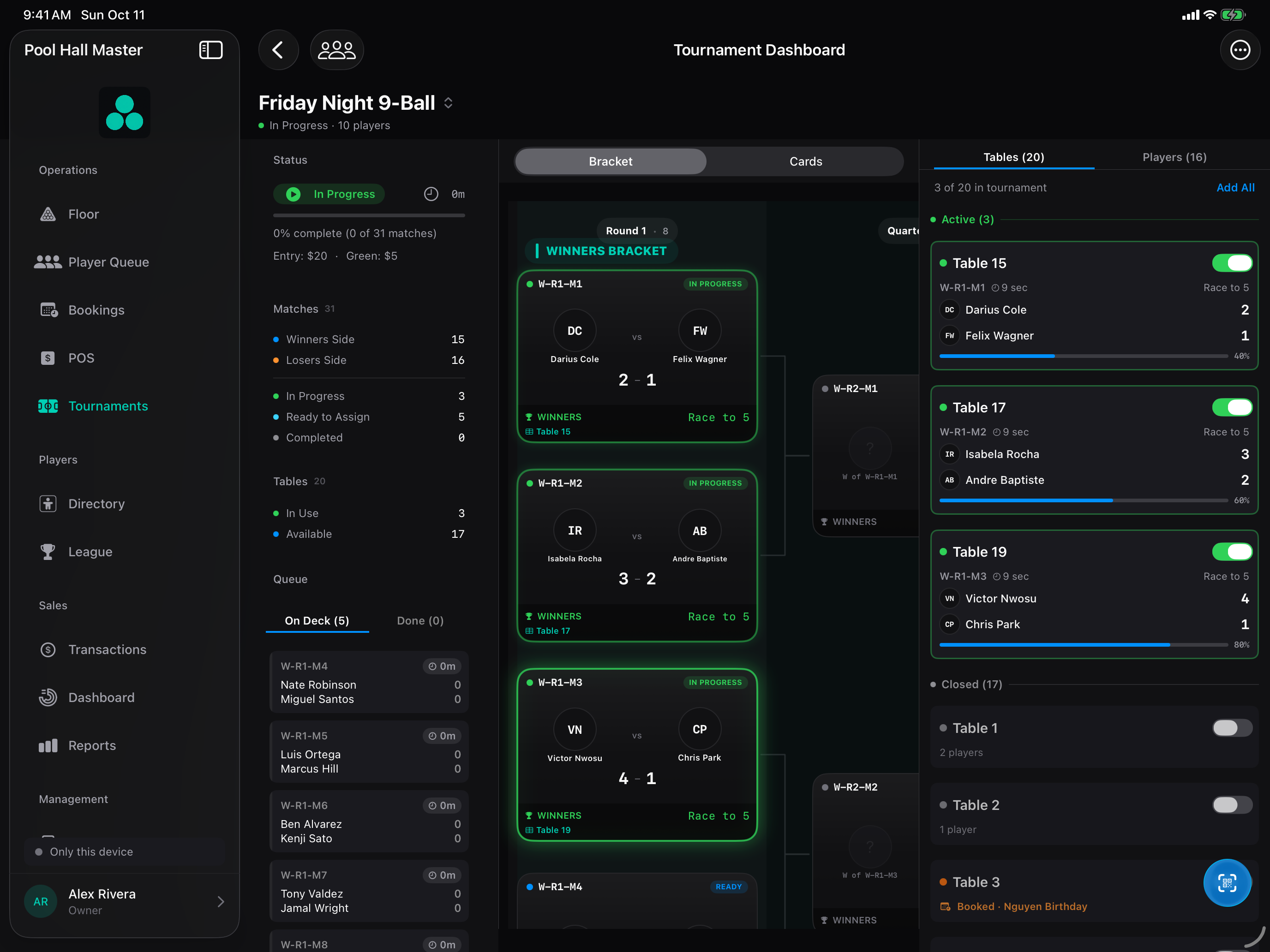
- Command center — the live view once you start: Active Matches on their tables, the On Deck board, byes to advance, matches Awaiting Approval, and a Draw Next Round button when a round is done.
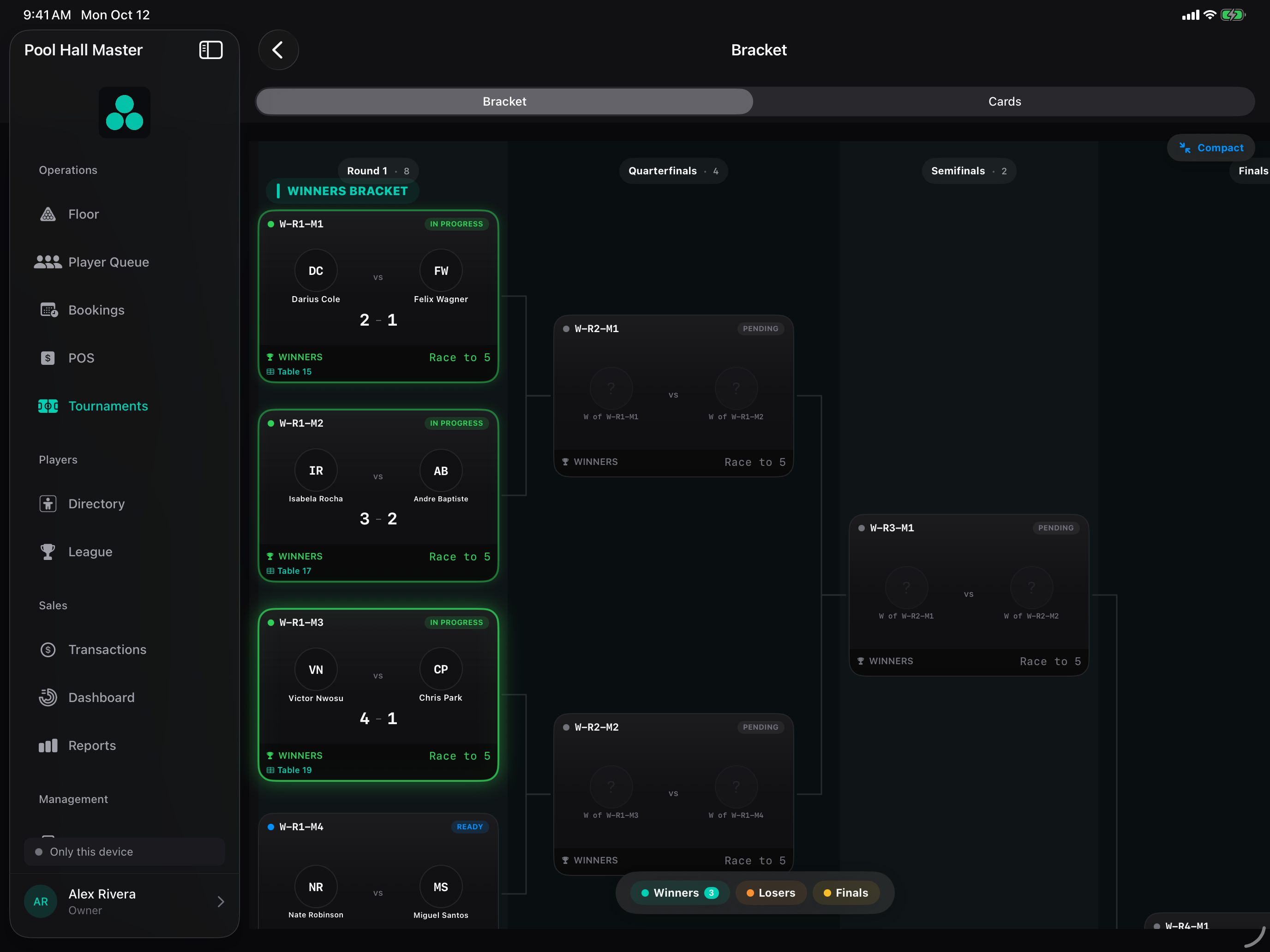
- Bracket — the full winners / losers bracket, also available as a TV display URL so the room can follow along.
Formats: Single Elimination, Double Elimination, Round Robin and Chip (a chip-count format with no bracket — players lose chips per loss and the queue runs until one remains).
Players can register from their phone, get an Apple Wallet pass for check-in, and — with Web scoring links on — receive a text when their match starts so they can score from their phone. Scores land in the approval queue; a tap confirms them and the bracket advances.
Setting it up
Defaults (once)
- Open Account & Settings → Tournaments.
- Set your default format, race to, entry fee and green fee, and how payouts are split — new tournaments start from these.
- Turn on Web scoring links if you want players to score from their phones. This also enables the Awaiting Approval queue.
- Save templates for events you run every week (Tuesday 9-ball, etc.) so creating one is a single tap under From a template.
Creating an event
- In Tournaments, tap + and pick From a template or Blank tournament.
- Fill in Details — name, date and start time, format, race to, entry and green fees. Optionally add a banner image for the public registration page (1920×1080 works best).
- Under Tables & players, tick Use Table 7 for this tournament for each table the event may use. Tables stay available for walk-ins until a match is actually called to them.
- Turn on Public registration and tap Share registration link. Anyone with the link can register; registration closes when the bracket locks in.
- Add walk-up players with Add Player (from the directory) or Enter Name.
Running it on the day
Check-in and start
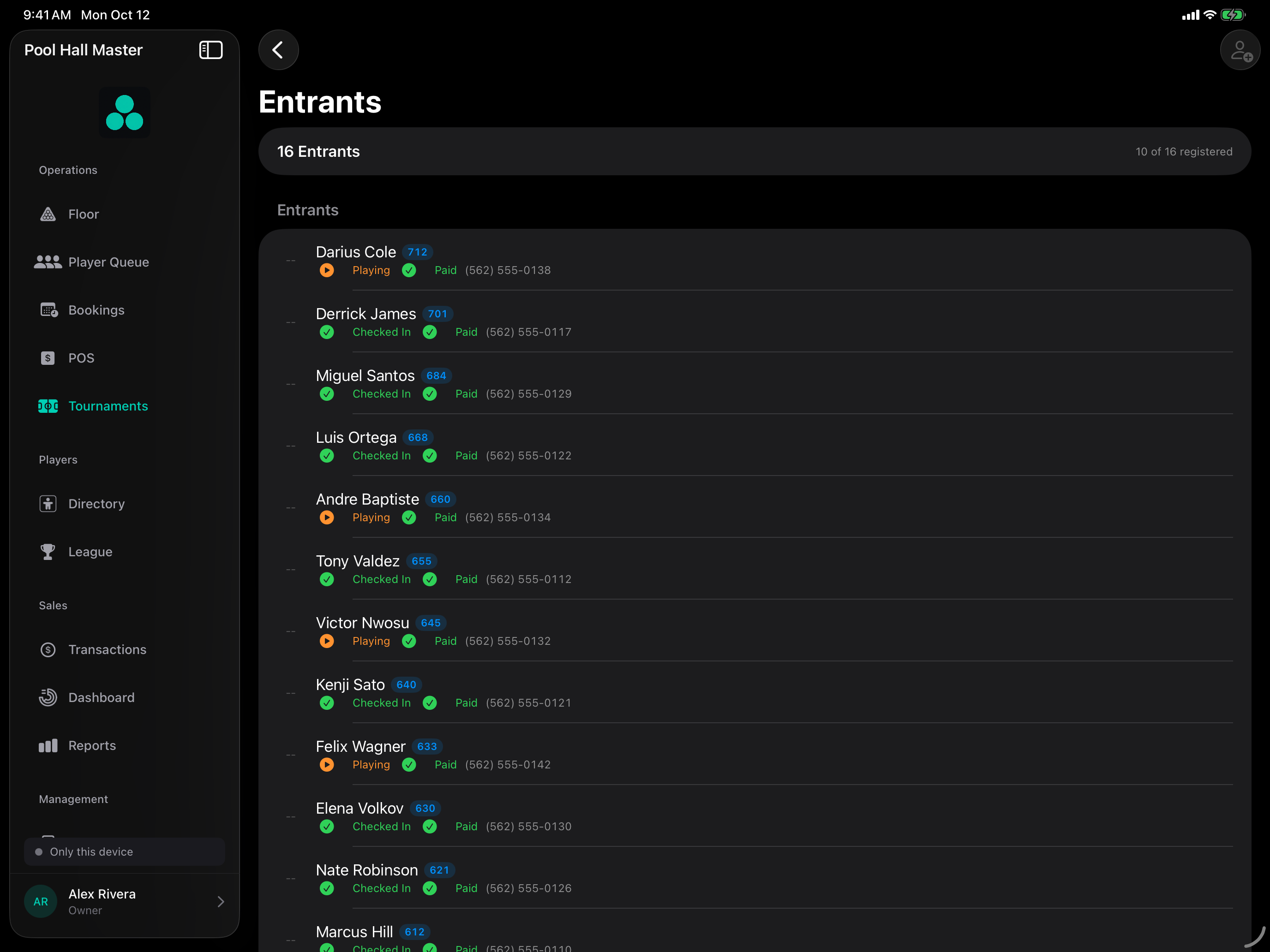
- As players arrive, tap Check In on their row, use Check In All, or tap Scan Check-In and scan the QR on their Wallet pass. Mark Entry fee paid as you collect.
- Approve any pending web registrations (Approve / Deny).
- Tap Start Tournament. You can Review Seeding First — drag to reorder, seed 1 is the top seed — or Start Now with everyone checked in. Players who registered but haven’t checked in are still seeded unless you remove them.
The command center loop
- Active Matches shows each table and its match with the current score. Tap a match to Score, Confirm Winner or Complete Match.
- On Deck lists the matches whose players are both free, in order. When a table opens, tap Call next match to Table 7 — the players are texted (and shown on the TV bracket) and the table is reserved.
- Advance All Byes clears first-round byes in one tap.
- Awaiting Approval holds phone-submitted scores. Approve to advance the bracket; open the match to correct a score before approving.
- When a round is complete in a Round Robin or Chip event, tap Draw Next Round.
- Late arrival? Add Late Player drops them into an open bye slot. Someone leaves? Reopen the match and hand the slot over.
TV bracket
Tap Share TV Display to copy the bracket URL and open it in a browser on any TV. It updates live: matches on tables, on-deck pairs, byes and results. The same URL works all event long.
Finishing
When the final is confirmed, tap Complete Tournament. The wrap screen shows placings and payouts; results are stored against each player and the tables return to normal service.
FAQ
Do I have to use web scoring? No. Leave Web scoring links off and staff score every match from the iPad. You can also mix — approve phone scores and enter others yourself.
Can tournament tables still take walk-ins? Yes, until a match is called to them. Calling a match reserves the table; completing it releases it.
What if someone forfeits? Open the match, tap the forfeiting player’s name and choose forfeit. The bracket advances; in double elimination they drop to the losers side.
Does this work on iPhone? Yes — the command center stacks vertically. Most rooms run it on an iPad at the desk with the TV bracket on the wall.
Can I run two tournaments at once? Yes. Each has its own tables, bracket and TV URL.